5
primary workspaces
Map, Bible, Read, Analytics, and Library
Live mobile study workflow
Exegesis is built for serious recurring Bible study: map connected texts, continue active reading sessions, open commentaries and confessions, and move toward a larger Flutter desktop workspace next.
5
primary workspaces
Map, Bible, Read, Analytics, and Library
4
analytics lenses
Patterns, network, heatmaps, and topic links
3
export formats
PDF, PNG, and plain text from the active study set
Live mobile captures
The gallery below was captured from the iPhone simulator against the current app, so the site is now showing actual product screens instead of only describing them.
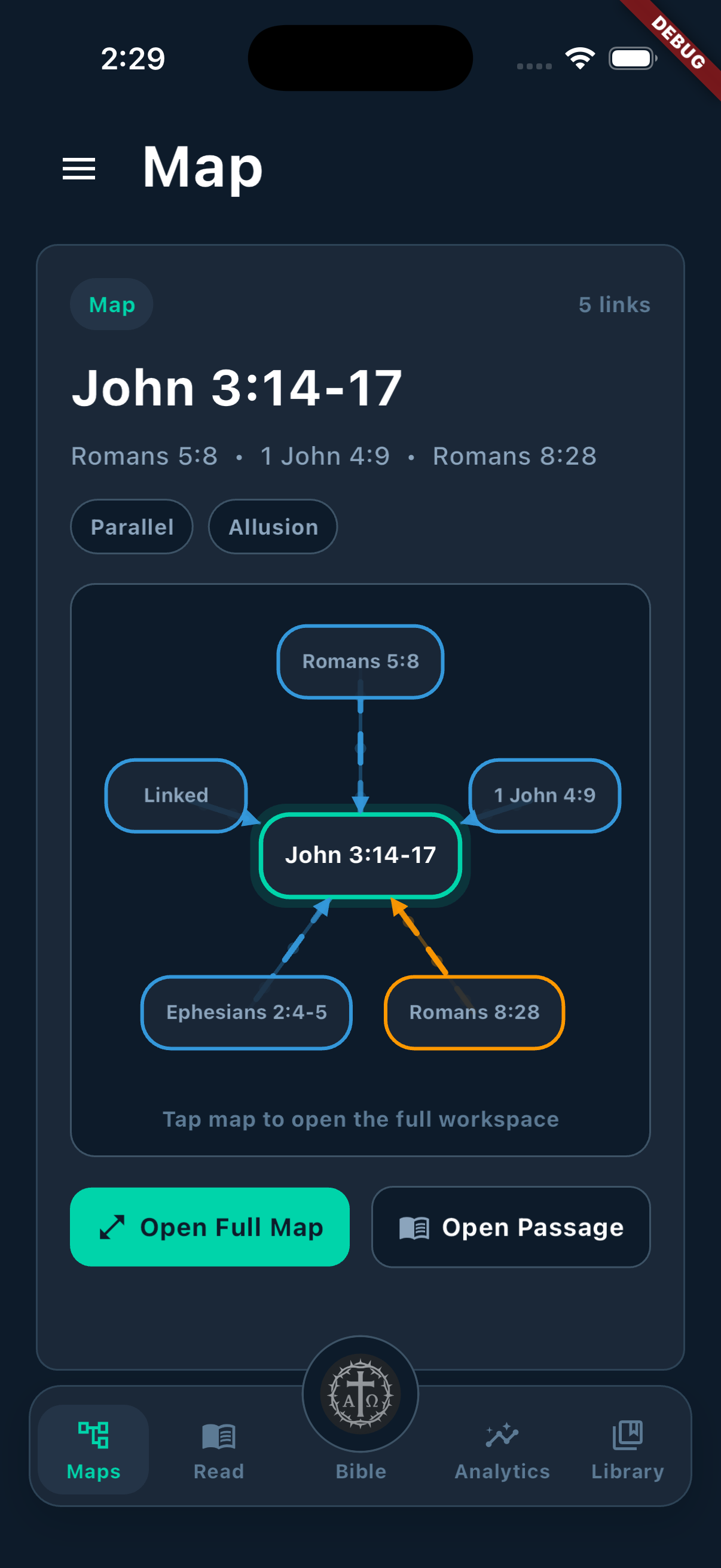
Featured passage maps open directly into a connected-reference workspace.
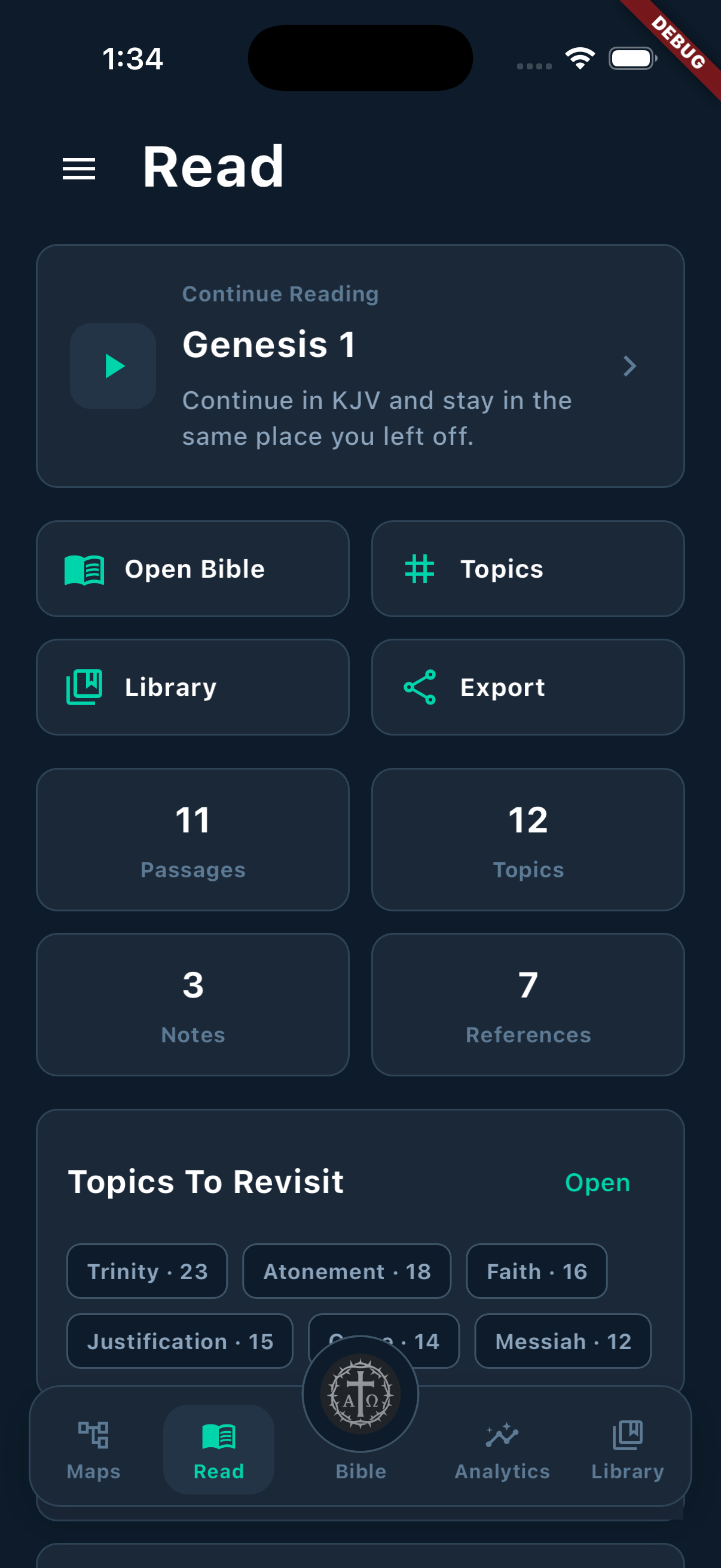
The reading dashboard keeps quick actions, study totals, and revisit topics in one place.
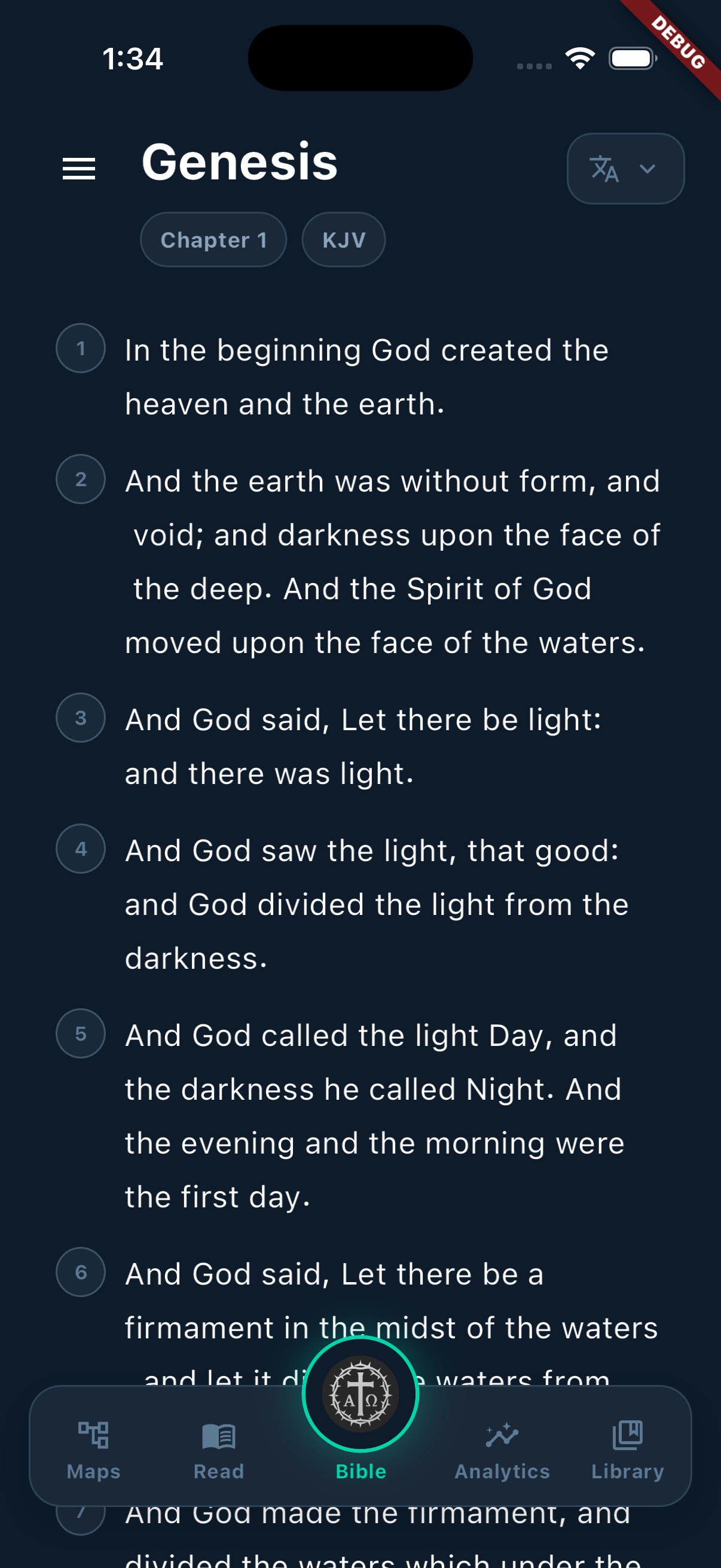
Scripture reading starts with translation, chapter, and verse context on the main surface.
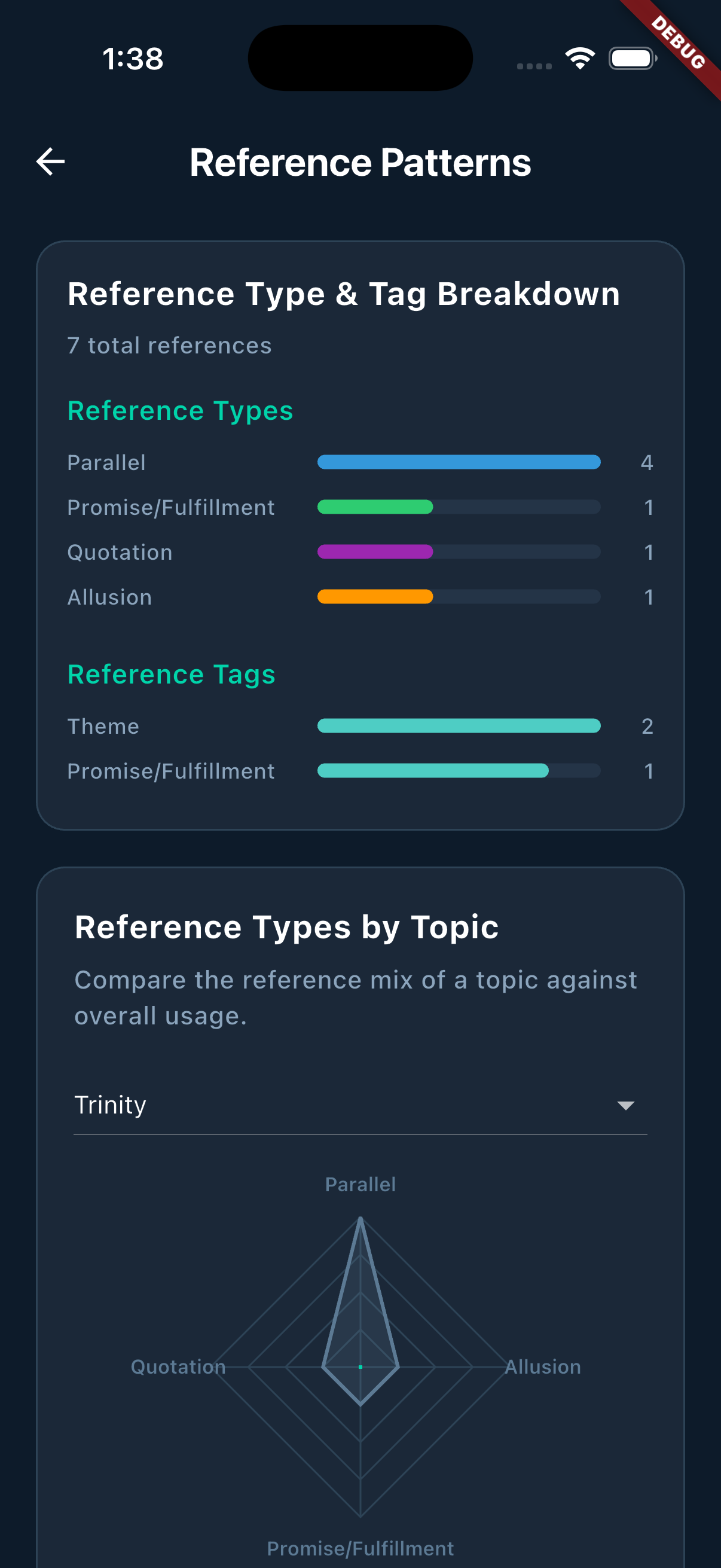
Focused analytics views break the study graph into interpretable patterns and comparisons.
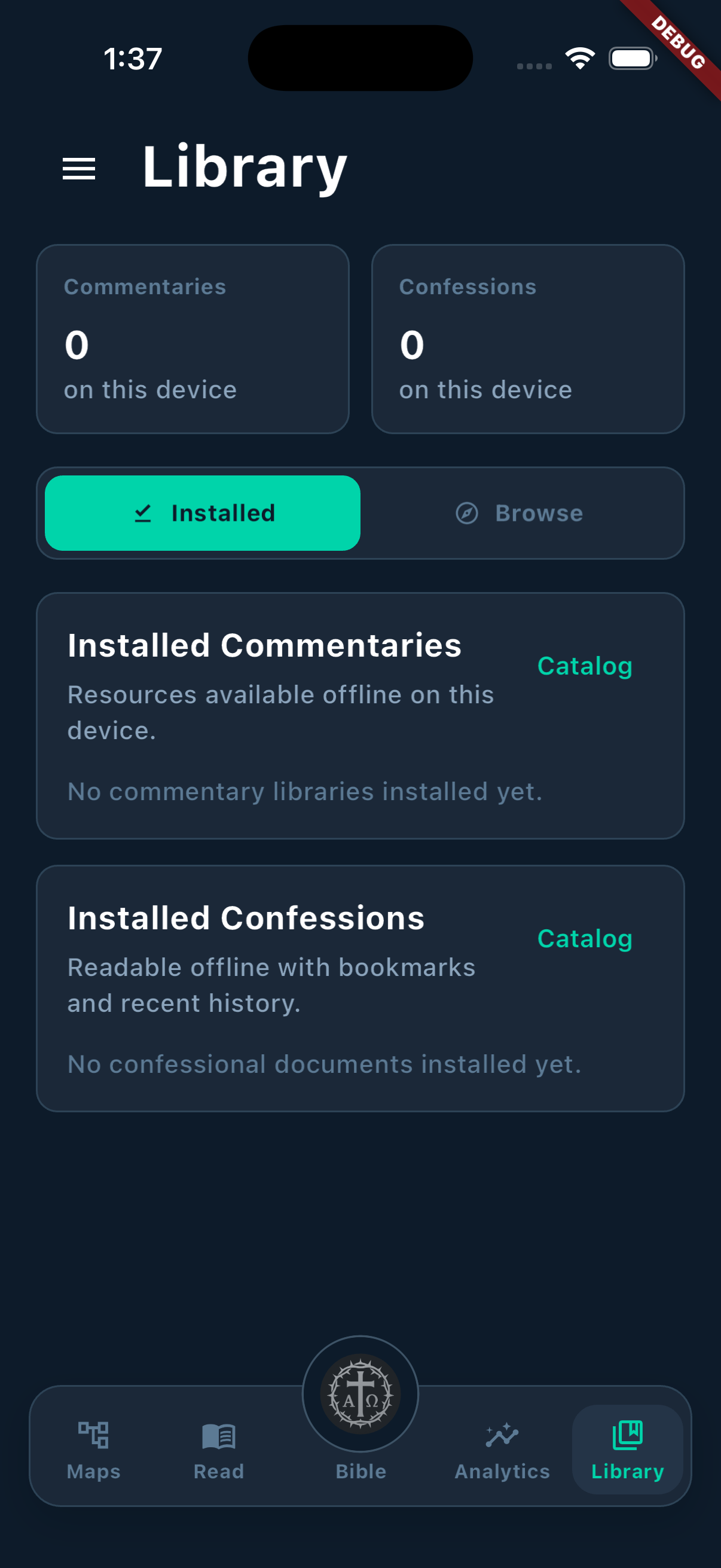
Installed commentaries and confessions stay visible as a dedicated on-device library.
Primary flows
The marketing copy mirrors the actual route structure and screen responsibilities in the Flutter client, so the public story stays aligned with the real product.
The home map mode highlights connected passages first, then opens into radial and flowchart diagrams for full inspection.
The Bible reader supports translation switching, book and chapter navigation, verse targeting, and detailed word study overlays.
Read mode brings together continue-reading state, active passages, top topics, quick actions, and passage search in one dashboard.
The analytics area breaks the graph into focused lenses so patterns remain interpretable instead of collapsing into a single dashboard.
Library mode separates what is installed on the device from what is available remotely across commentary and confession collections.
Research stack
Beyond reading and mapping, Exegesis already includes the library, theological sources, topic management, export surface, and account access needed to support serious recurring use.
Browse remote authors, filter by category and period, search descriptions, and download selected voices into the local library.
Search across documents, filter by tradition, jump to sections, and keep bookmarks plus recent history inside the reader.
Create topics, tag passages, add notes, and mark up connected sections so theological themes stay attached to the text they came from.
Package study work as PDF, PNG, or plain text, then choose whether to include topics, references, notes, or the entire set.
The mobile app already includes Supabase-backed sign-in with Apple, Google, and email so account-aware features can expand without rewriting the client shell.
The shipped app targets iOS and Android today, and the same Flutter product foundation is the path toward a desktop release next.
Rollout
The site needs to advertise what exists now without underselling what is already on deck. This split keeps the promise precise: the product ships on mobile today, and the Flutter desktop app is the next major surface.
The current Flutter app is not a placeholder. It already ships the reading, mapping, library, analytics, and export surfaces that matter for everyday study.
The next step is a Flutter desktop release that keeps the same study model while taking advantage of larger canvases, keyboard input, and side-by-side research.