
Hymns
Native synced score player — sheet music, amber cursor, and per-verse audio across vocal, piano, and organ.
Live mobile study workflow
Exegesis is built for serious recurring Bible study: map connected texts, continue active reading sessions, open commentaries and confessions, and move toward a larger Flutter desktop workspace next.
Current mobile release
Real Flutter screens from the current build, centered around the study surfaces that already ship today.
Native synced score player — sheet music, amber cursor, and per-verse audio across vocal, piano, and organ.
Wesley, Whitefield, Athanasius, Chrysostom, and the Apostolic Fathers, each enriched with scripture refs and topic chips.
Tap any word in the reader to see its lexicon entry, top renderings, and every place it occurs in the canon.
Scroll timeline
This section turns the shipped mobile surfaces into a scroll-driven sequence: each step highlights a real capture and explains what that screen contributes to the study workflow.
Step 01
Tap "Word" on John 1:1 and the reader pulls up λόγος (G3056) with its full definition, top renderings ring chart, and every place it occurs in the canon. The lexicon sheet slides over the verse without losing your reading position.
339 verses where λόγος occurs, jumpable from the panel
Step 02
The hymn player renders the actual score with an amber beat-cursor that walks through every measure, with stacked verse lyrics and per-verse audio across vocal, piano, and organ.
3 voices vocal, piano, organ — generated per hymn
Step 03
Letter collections from Wesley, Whitefield, the Apostolic Fathers, Calvin, and Rutherford ship enriched: every letter carries its scripture references and topic tags right above the body text.
49 refs in a single Clement of Rome letter
Step 04
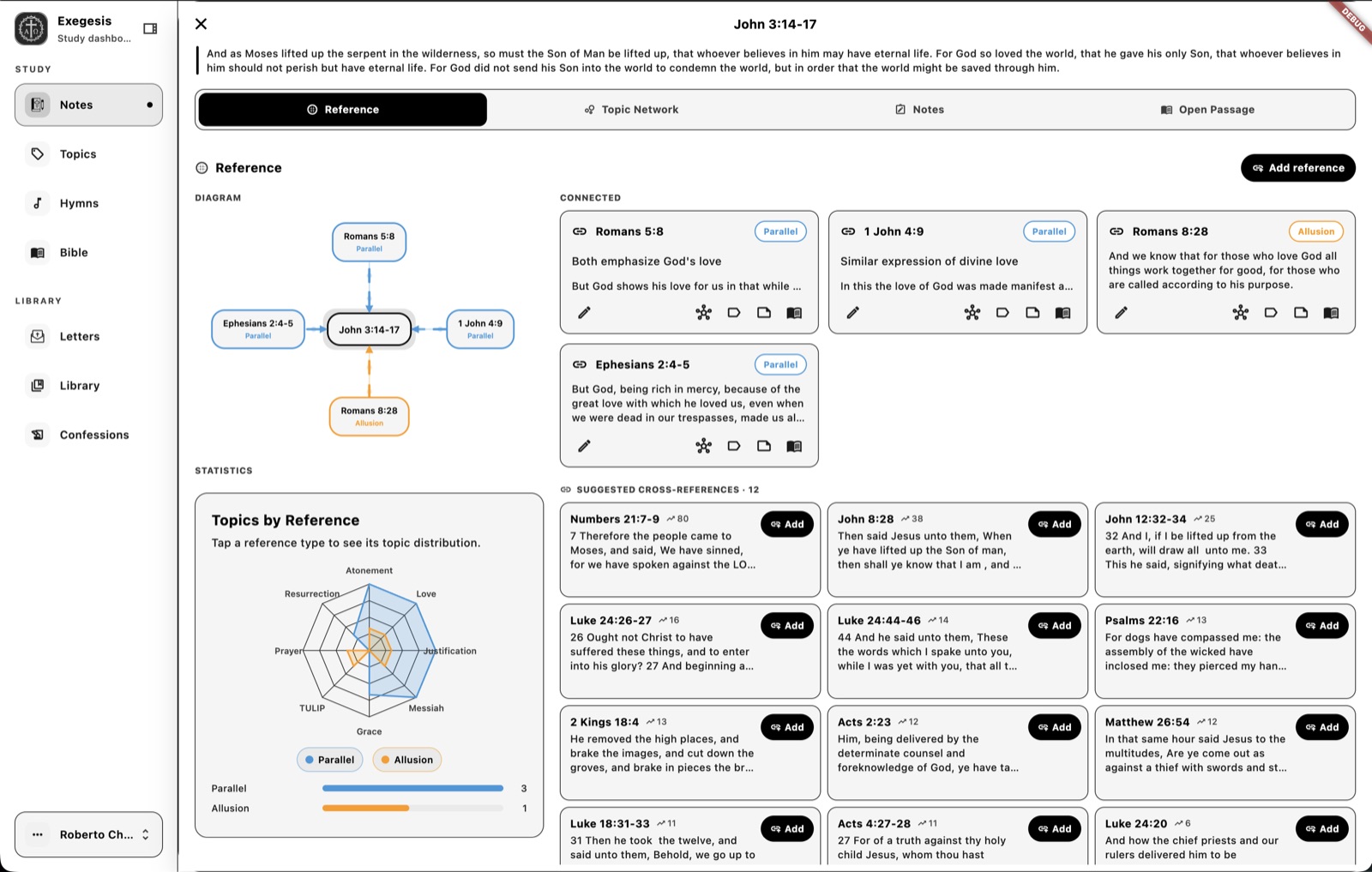
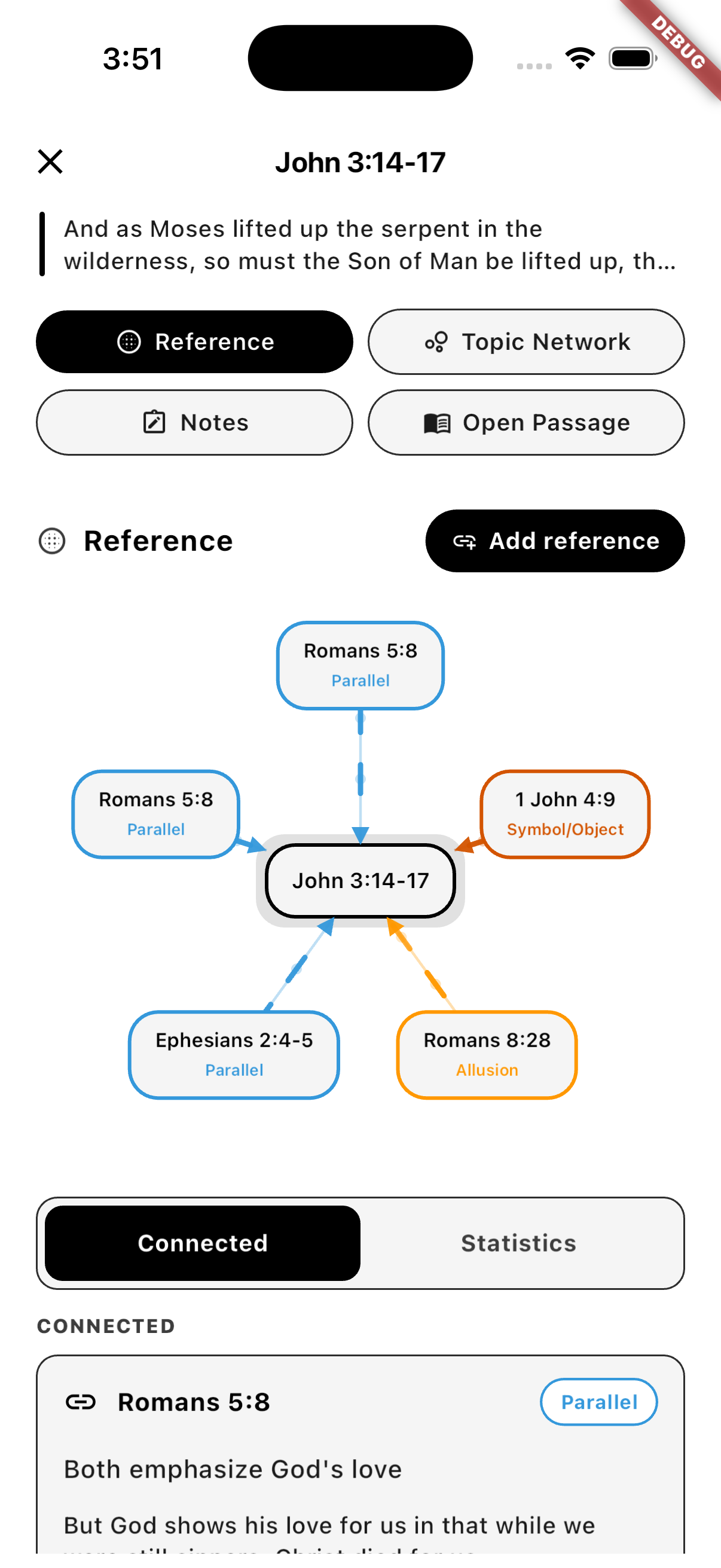
Tap a passage note to open its Reference view: a labeled diagram of connected verses, plus Topic Network, Notes, and Open Passage tabs and a Connected / Statistics breakdown for the link set.
5 links around John 3:14-17 with parallel + allusion + symbol labels
Step 05
The Statistics tab inside any note charts Topics by Reference on a radar — tap Parallel, Allusion, or Symbol/Object to filter the chart. Bar counts beneath the radar show the link distribution at a glance.
3 / 1 / 1 Parallel / Allusion / Symbol-Object links on John 3:14-17
Step 06
Select a verse — say John 1:1 — and the Sources sheet opens with six tabs: Commentaries, Confessions, Reference, Note, Hymns, and Letters. Matthew Henry’s commentary on John 1 sits a single swipe away from the Westminster confessions, a Reformed hymn on the Word, or a letter that quotes the passage.
6 tabs Commentaries · Confessions · Reference · Note · Hymns · Letters
Live mobile captures
The gallery below was captured from the iPhone simulator against the current app, so the site is now showing actual product screens instead of only describing them.
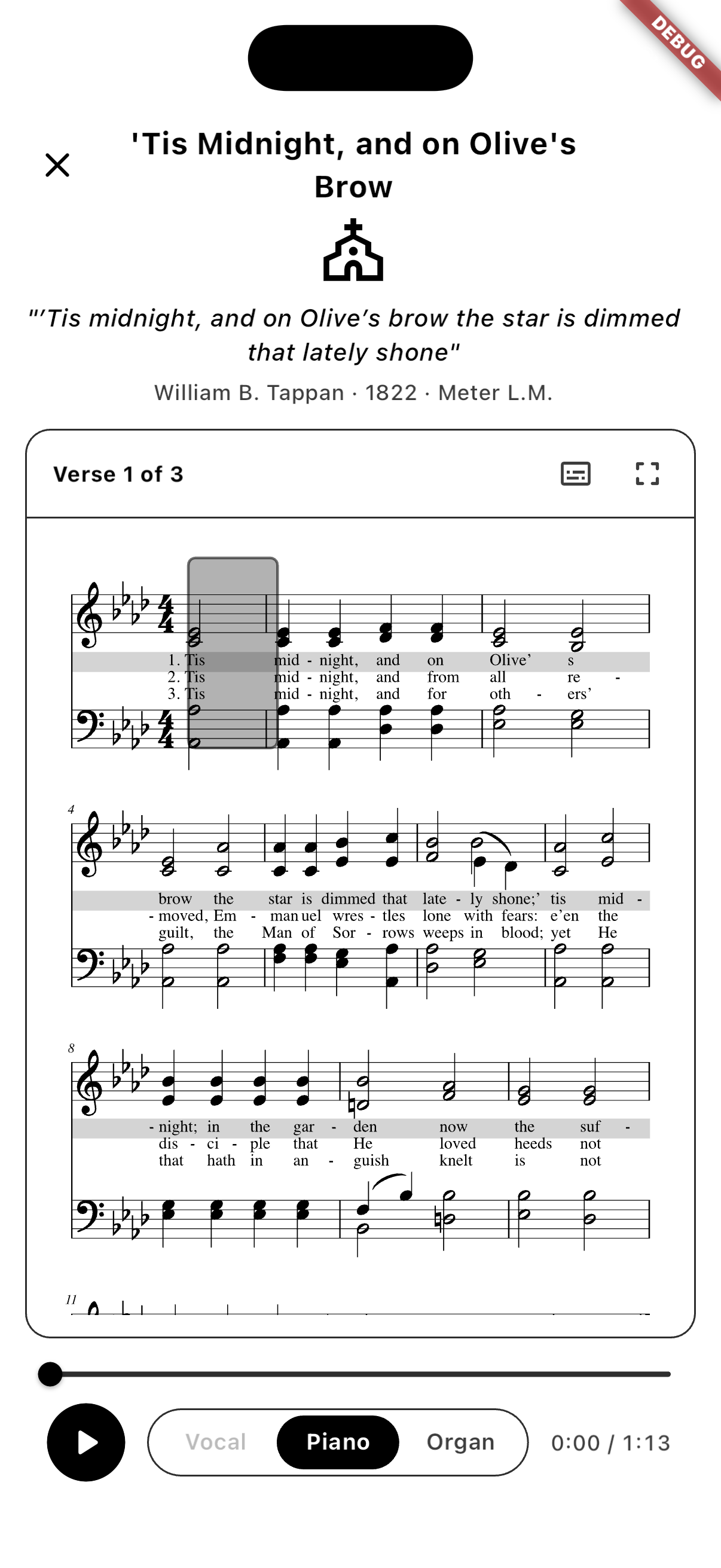
Native sheet music with an amber beat-cursor and per-verse audio across vocal, piano, and organ.
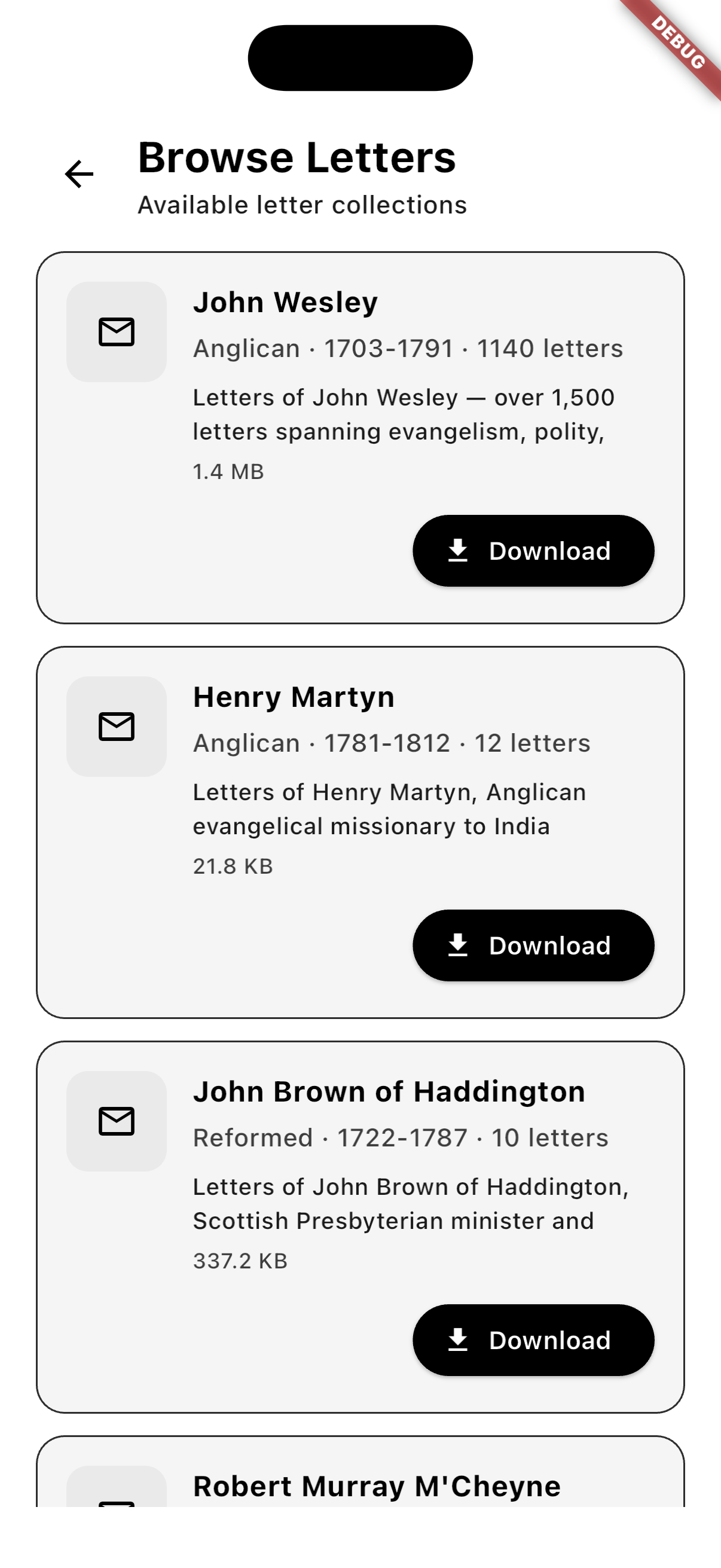
Wesley, Martyn, Brown of Haddington, M’Cheyne, and more — each ready to install offline.
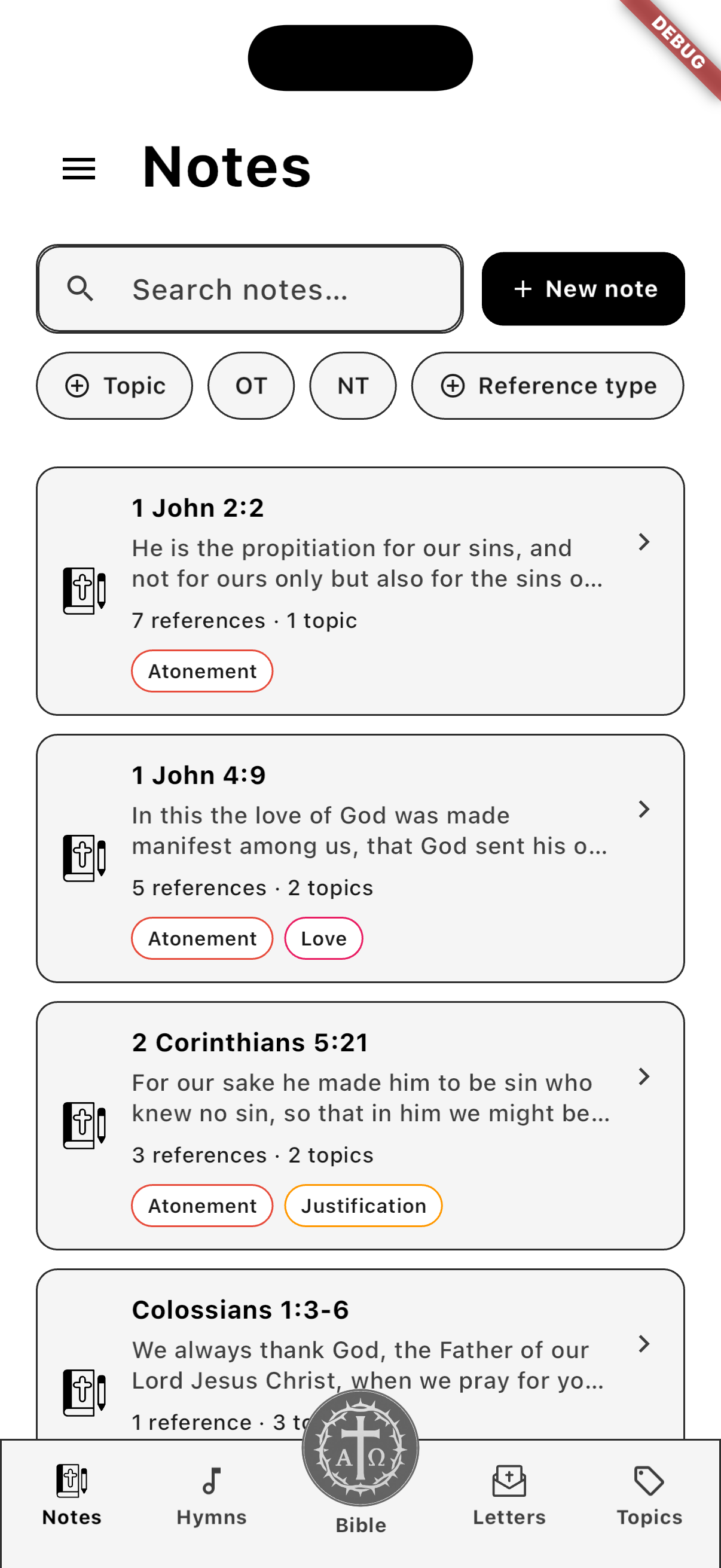
Passage notes with reference counts and topic chips, all reachable from the bottom rail.
Tap any word — like λόγος in John 1:1 — and the Greek/Hebrew lexicon slides over the verse with definition, Strong’s, and a ring chart of top renderings.
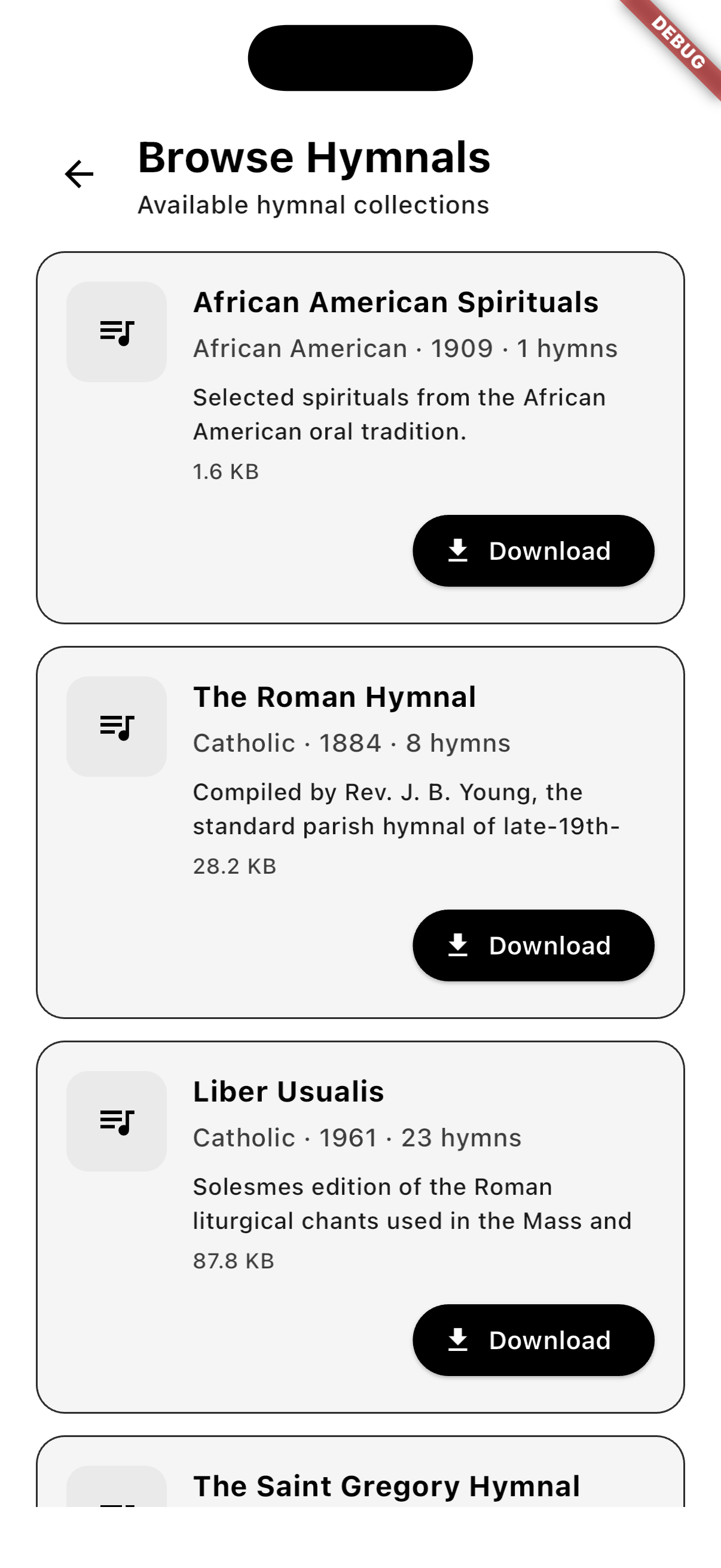
Browse hymnals by tradition — African American Spirituals, Roman Hymnal, Liber Usualis, and more.
Tap a note to expand its reference diagram, with Parallel, Allusion, and Symbol/Object labels around the target verse.
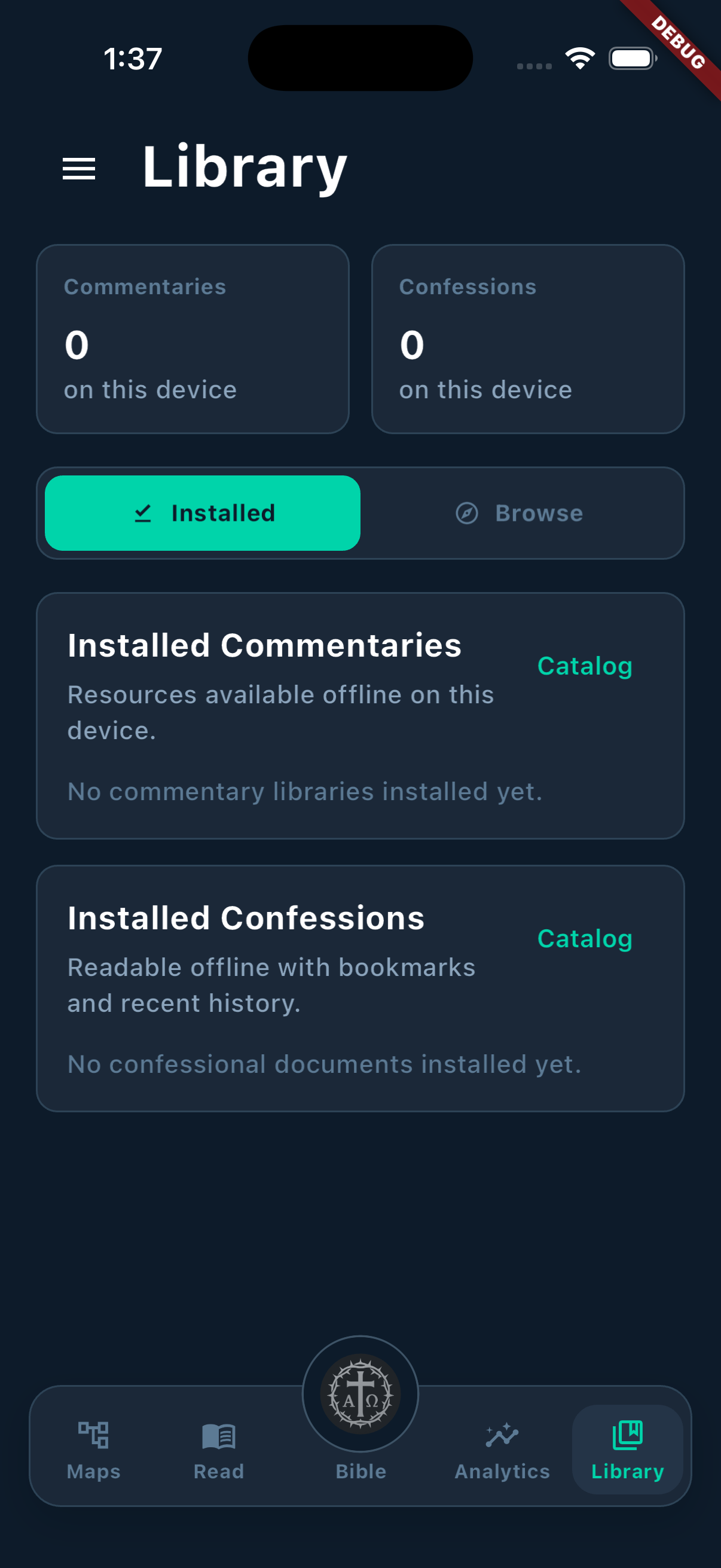
Installed commentaries, hymns, letters, and confessions stay visible as a dedicated on-device library.
Primary flows
The marketing copy mirrors the actual route structure and screen responsibilities in the Flutter client. Bible, Read, Hymns, Letters, the per-note Reference workspace, and Library are the six first-class surfaces you can land on every day.
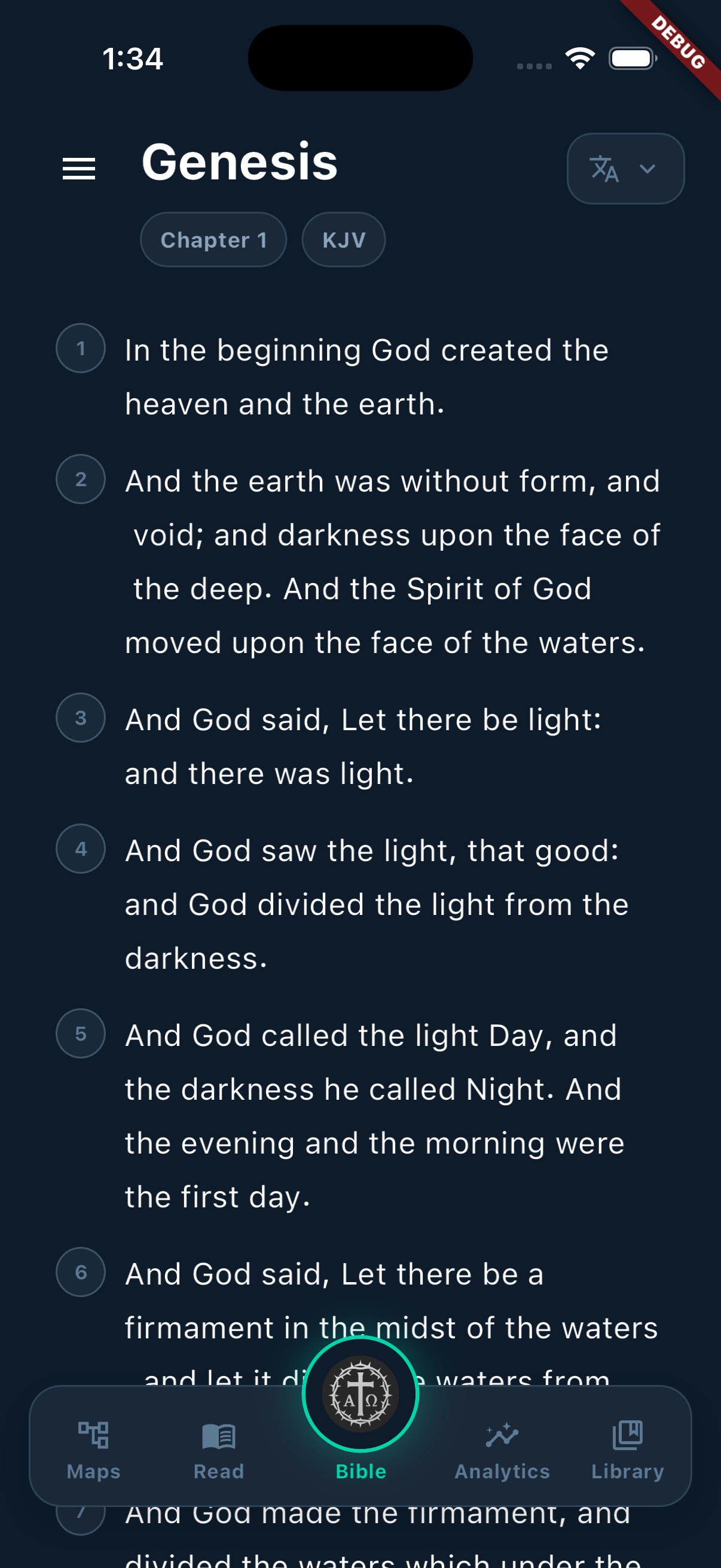
The Bible reader supports translation switching, book and chapter navigation, verse targeting, and a Strong’s-backed Greek and Hebrew lexicon panel that opens beside the text.
Read mode brings together continue-reading state, active passages, top topics, quick actions, and passage search in one dashboard.
Browse hymnals by tradition, then open any hymn into a native score view that scrolls the amber cursor through the staff while audio plays. Renders offline, no WebView.
Download letter collections from Wesley, Whitefield, the Apostolic Fathers, Calvin, Rutherford, Athanasius, Chrysostom, and more. Each letter ships with scripture refs and topic tags surfaced above the text.
Tap any passage note to expand a per-verse view: connected references shown as a labeled diagram, Topic Network, Notes, and Open Passage tabs, plus a Connected / Statistics breakdown of every link.
Library mode separates what is installed on the device from what is available remotely across commentary, hymn, letter, and confession collections.
Research stack
Beyond reading and mapping, Exegesis already includes the library, theological sources, topic management, export surface, and account access needed to support serious recurring use.
Tap any underlined word in the reader to see its Strong’s entry, top renderings, KJV usage, and full occurrence list across the canon.
Every topic pulls a Reformed Presbyterian description, plus a chart of which letters, authors, traditions, and centuries attest to it.
Browse remote authors, filter by category and period, search descriptions, and download selected voices into the local library.
Search across documents, filter by tradition, jump to sections, and keep bookmarks plus recent history inside the reader.
Create topics, tag passages, add notes, and mark up connected sections so theological themes stay attached to the text they came from.
Supabase-backed sign-in with Apple, Google, or email keeps your library, notes, and topics in sync across mobile and desktop installs.
Rollout
Mobile already carries the serious core of Bible reading, mapping, hymns, letters, library, and analytics.
The current Flutter app is not a placeholder. It already ships the reading, mapping, hymn, letter, library, analytics, and export surfaces that matter for everyday study.
The next step is a Flutter desktop release that keeps the same study model while taking advantage of larger canvases, keyboard input, and side-by-side research.